
Help › For drivers
For drivers
What drivers see on a phone: mileage, problems, inspections and service requests.
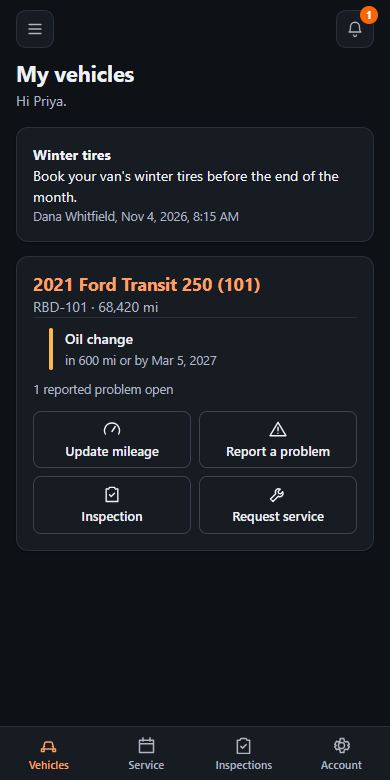
On your phone, My vehicles shows what you're assigned, with buttons to update mileage, report a problem, do an inspection or ask for service.
QR codes
Scanning a vehicle's QR code opens that vehicle. You still have to sign in, and you only reach vehicles you're assigned to. Managers get the code from the vehicle's page.
No vehicle showing?
Ask your fleet manager to assign you one.
Updated November 4, 2026